
Definition
podcast archive: A podcast back catalog (your podcast archive) is the collection of previously published episodes and related content — interviews, transcripts, show notes, guests, articles, clips, and topics — that can keep creating value long after launch week.
In simple terms: A podcast back catalog (your podcast archive) is the collection of previously published episodes and related content — interviews, transcripts, show notes, guests, articles, clips, and topics — that can keep creating value long after launch week.
Quick Answer
Audit evergreen episodes → turn strong conversations into SEO articles → make the archive searchable → organize by topics and guests → resurface archive picks in newsletters and so
Audit evergreen episodes → turn strong conversations into SEO articles → make the archive searchable → organize by topics and guests → resurface archive picks in newsletters and social → connect old episodes to new ones → expand from your top 20.
MicNest helps podcasters unlock their back catalog — searchable archives, SEO articles, guest profiles, topic collections, and newsletters. Start at https://app.micnest.ai/auth/signup.
Key Takeaways
- ➔ Your back catalog is an asset you've already paid for with time and production.
- ➔ Chronological archives bury useful conversations under newer episode numbers.
- ➔ Evergreen episodes can keep attracting attention years after publication.
- ➔ One old episode can become articles, clips, newsletters, topics, and guest pages.
- ➔ Search, topics, and guest profiles make the archive discoverable.
- ➔ Prioritize quality: don't turn every episode into a thin blog page.
- ➔ Start with your top 20 evergreen conversations, then expand.
- ➔ Connecting new episodes to old ones creates a living content network.
- ➔ Your archive can reduce content pressure by feeding newsletters and social.
- ➔ MicNest helps turn a feed of episodes into a connected content library.
You've spent months or years creating podcast episodes — research, guests, recording, editing, publishing, promotion. After each episode leaves your homepage, it often disappears under newer ones. Your podcast archive isn't just a chronological list. It's a content asset you've already created.
Maybe you have 50 episodes. Maybe 200. Maybe you've crossed 500+ conversations. Every one represents investment. The question is: how much value are you getting from it?
What Is a Podcast Back Catalog?
Your podcast back catalog is everything you've published in the past.
That includes:
- Old episodes
- Interviews
- Transcripts
- Show notes
- Guest conversations
- Articles
- Clips
- Topics
- Resources
If you've published 200 episodes, you already have 200 pieces of original content. But the real value may be much larger. Each episode can contain dozens of individual ideas — so your archive could hold thousands of useful insights.
The challenge is making those insights discoverable.
The Traditional Podcast Archive
Most podcast archives are organized chronologically: latest episode, then 199, 198, 197… down to episode 1.
This makes sense from a publishing perspective. But it isn't necessarily the best way to discover knowledge.
A listener may not care about chronological order. They might care about AI, marketing, leadership, fundraising, hiring, sales — or a specific question.
That's where your back catalog can become much more useful.
Your Old Episodes Aren't Necessarily Old Content
An episode's publication date doesn't determine whether its ideas are valuable.
A conversation about hiring your first employee from two years ago may still be relevant. An episode about building a personal brand may still contain useful principles even if tactics evolve.
These are examples of evergreen content. Evergreen episodes can continue attracting attention long after their original publication.
Why Back Catalogs Often Get Ignored
There's a simple reason. Podcasters naturally focus on what's next: next guest, next recording, next episode, next promotion.
This creates a constant production cycle: Create → Publish → Promote → Repeat
There's rarely time to go backwards. But your back catalog already contains material you've invested heavily in. You don't necessarily need to create more. You need to unlock what already exists.
What Can You Do With an Old Podcast Episode?
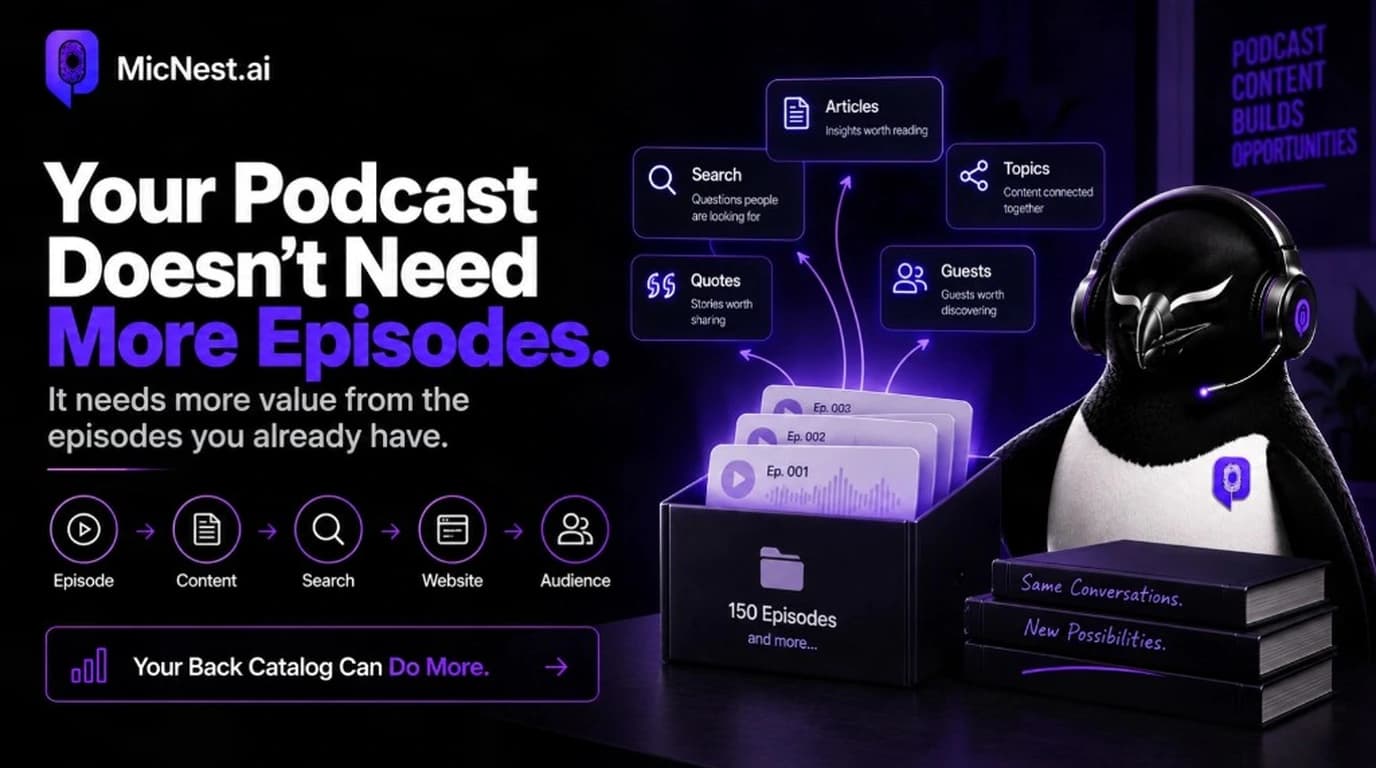
A single old episode can become:
- A new article
- A search result
- A newsletter feature
- A short clip
- A social post
- A topic page
- A guest profile
- A recommended episode
- A resource page
- Part of a larger content guide
The original recording doesn't change. Its distribution does. That's the heart of podcast content repurposing.
1. Turn Old Episodes Into SEO Articles
Suppose you have an old episode titled The Future of Startup Hiring. Inside the conversation, your guest discusses when to hire, who to hire first, hiring mistakes, technical hiring, and building company culture.
Instead of leaving all of that inside the audio, extract the strongest ideas into an article — for example, How to Hire Your First Startup Employees.
Now someone searching Google for that topic has another way to discover your podcast. This is one of the core ideas behind podcast SEO.
2. Make the Back Catalog Searchable
The bigger your podcast becomes, the more difficult manual browsing becomes.
Imagine having 500 episodes. Someone wants conversations about AI agents. Do they really want to scroll through 500 titles?
A searchable podcast can let them search the entire archive — relevant episodes, guests, topics, articles, and specific moments. Your archive becomes a knowledge library. See also how to build a searchable podcast archive.
3. Organize Episodes by Topic
Your episodes don't have to belong to only one chronological sequence. Create topic relationships.
For example:
AI
34 episodes
SaaS
42 episodes
Marketing
51 episodes
Leadership
28 episodes
Now someone interested in a particular subject can explore your archive without knowing which episode contains the information.
4. Create Guest Collections
Your back catalog may contain dozens of valuable guests. Instead of treating each guest as a name attached to one episode, create a dedicated profile.
A guest page could include bio, episodes, topics, quotes, articles, and resources. Now someone who discovers a guest can explore their entire contribution to your podcast.
5. Resurface Evergreen Episodes
Your audience probably hasn't heard every episode. Even if an episode is two years old, it might be completely new to someone who discovered your podcast last week.
You can resurface old conversations through:
- From the archive
- Worth revisiting
- Best conversations about…
- You might have missed…
This gives old episodes another opportunity to reach your audience.
6. Build Newsletter Content From Your Archive
Your back catalog can become a newsletter source.
For example: This Week's Archive Pick — How to Build Your First Sales Team — published 18 months ago — three lessons from the conversation — then listen to the episode.
You've just given an old episode a new distribution opportunity — and another path to own your podcast audience.
7. Create Topic Collections
Instead of recommending individual episodes, create collections.
For example: The Startup Founder Collection — 10 conversations every early-stage founder should hear — finding product-market fit, hiring your first employee, raising funding, building a sales process, managing a remote team.
Now your archive becomes curated. Visitors don't have to decide where to start. You give them a path.
8. Connect Old Episodes to New Episodes
Your newest episode can make your oldest episodes relevant again.
Suppose you publish Episode 200: The Future of AI. You can connect it to Episode 73: AI in Business, Episode 112: Building AI Products, and Episode 148: AI Automation.
Now the new conversation becomes an entry point into your older content. This creates a connected archive rather than a collection of isolated episodes — the same idea as turning your show into a podcast platform.
9. Extract Short-Form Content
Your old episodes are also a source of social content. Go back through your archive and identify strong opinions, surprising insights, useful advice, interesting stories, and memorable quotes.
One old episode might produce several new posts. You don't need to recreate the conversation. You simply need to find the moments worth resurfacing.
10. Update Outdated Content
Not every old episode should simply be republished. Some topics, technology, statistics, and recommendations change.
For those episodes, create an updated article. For example, original episode The Future of AI in 2024 could become What We Got Right and Wrong About AI: Lessons From Our 2024 Conversation.
This keeps the original conversation while providing modern context.
Evergreen vs Time-Sensitive Episodes
Not every episode has the same long-term value.
Evergreen
Examples: leadership principles, hiring advice, productivity, business fundamentals, communication, personal development. These can remain useful for years.
Time-sensitive
Examples: breaking news, product launches, elections, market updates, temporary trends. These may have a shorter lifespan.
Your back-catalog strategy should treat them differently.
The Back Catalog Content Flywheel
Your old episodes can enter a new cycle:
Old episode → Identify valuable idea → Create article → Publish → Search discovery → Website visitor → Episode → Subscriber → Related episode → More discovery
The episode isn't really "old." It has simply entered another stage of its lifecycle.
Your Back Catalog Can Become an SEO Asset
Think about the number of topics discussed across hundreds of episodes. If you have 300 episodes and each covers several meaningful subjects, you potentially have hundreds or thousands of topic opportunities.
The key is not publishing thousands of thin pages. It's identifying the conversations that genuinely answer useful questions.
Quality matters. Structure matters. Internal linking matters. Context matters. The goal is to create useful content around the best ideas in your archive.
Don't Turn Every Episode Into a Blog
This is important. More pages aren't automatically better.
Instead, prioritize episodes that:
- Answer common questions
- Contain evergreen insights
- Have strong expertise
- Cover important topics
- Have useful guest perspectives
- Already receive traffic
- Have strong search potential
Start with your best conversations. Then expand. Use podcast analytics to see which older pages and topics already attract interest.
How to Audit Your Podcast Back Catalog
You can start with a simple spreadsheet.
| Episode | Topic | Guest | Evergreen? | Search Potential | Content Opportunity |
|---|---|---|---|---|---|
| Episode 20 | Hiring | Guest A | Yes | High | Article |
| Episode 42 | AI | Guest B | Yes | High | Topic page |
| Episode 71 | Product launch | Guest C | No | Low | Archive |
| Episode 93 | Leadership | Guest D | Yes | Medium | Newsletter |
This gives you a simple way to prioritize. You don't have to work through everything at once.
Start With Your Top 20 Episodes
If you have hundreds of episodes, don't try to optimize everything immediately.
Choose your top 20. Look for episodes with strong topics, great guests, evergreen information, high engagement, existing traffic, and search potential.
Then turn those into a stronger content network. Once the workflow works, expand it.
Your Back Catalog Can Reduce Content Pressure
There's another benefit. When you constantly need new content, it can feel like you need something new every day.
But your archive changes that. You can publish a new episode and also:
- Best moment from Episode 47
- Article from Episode 82
- Archive recommendation from Episode 31
- Guest collection from Episodes 12 and 93
Now your content calendar doesn't depend entirely on new recordings. Your existing library becomes part of your publishing engine.
The Content You Already Paid For
Think about how much work went into your podcast — time, attention, research, production, guest coordination.
Your back catalog represents that accumulated investment. Letting it disappear after publication means you're leaving value unused. Repurposing and organizing it gives that investment a longer life.
How MicNest Helps Unlock the Back Catalog
This is one of the problems MicNest is designed around.
Instead of treating your podcast as a feed of episodes, MicNest helps turn it into a connected content library.
Your episodes can become part of:
- Searchable archives
- SEO articles
- Topic collections
- Guest profiles
- Dedicated episode pages
- Newsletters
- Related content
The goal isn't simply to publish more. It's to make the content you've already created more discoverable and useful.
A Simple Back Catalog Strategy
If you want to start today, follow this process.
Week 1
Choose your best 20 episodes.
Week 2
Identify the strongest topics inside them.
Week 3
Create articles around the most valuable conversations.
Week 4
Connect episodes, guests, topics, and articles.
Ongoing
Resurface older content through newsletters and social posts.
Over time, your archive becomes more connected.
Frequently Asked Questions
What is a podcast back catalog?
A podcast back catalog is the collection of previously published episodes and related content from your show — your podcast archive of conversations, guests, and supporting materials.
Are old podcast episodes still valuable?
Yes, particularly when they contain evergreen information or answers to questions people continue to care about.
How can I repurpose old podcast episodes?
You can turn them into articles, clips, newsletters, social posts, topic collections, guest pages, and searchable content.
Should I republish old podcast episodes?
You can resurface them, but simply reposting the same episode isn't always necessary. Consider creating new context around valuable older conversations.
How do I find the best episodes to repurpose?
Look for evergreen topics, strong guests, useful answers, high engagement, existing traffic, and subjects with ongoing search interest.
Can old podcast episodes help with SEO?
They can when the ideas inside them are transformed into useful, crawlable web content such as articles and structured episode pages.
How do I organize a large podcast archive?
Use topics, guests, search, related episodes, articles, and clear episode pages to create multiple paths through your archive.
Your Back Catalog Is Not a Graveyard
Your newest episode isn't automatically your most valuable episode. Your oldest episode isn't automatically your least valuable.
Some of your best ideas may already be sitting inside conversations you published months or years ago.
The opportunity is to bring them back into the system: search them, connect them, repurpose them, resurface them, build around them.
Your podcast has already done the hard part. You've created the conversations. Now make those conversations work harder.
Make Your Back Catalog Work for You
MicNest helps podcasters turn existing episodes into a connected content ecosystem with searchable archives, SEO articles, guest profiles, topic discovery, newsletters, and more.
Related Reading
Before vs after
Before
- — Create → Publish → Promote → Forget
- — Old episodes buried under the chronological feed
- — Content calendar depends only on new recordings
After
- + Old episode → Article → Search → Subscriber → Related episode
- + Evergreen archive stays discoverable through topics and guests
- + Back catalog feeds newsletters, SEO, and social content
Who is this for?
Podcasters
Creators with growing archives who want more value from old episodes.
Content marketers
Teams turning past conversations into articles, newsletters, and SEO.
Interview hosts
Hosts connecting guests and evergreen topics across years of episodes.
Make your back catalog work for you
Old episodes aren't dead content. MicNest helps turn your podcast archive into searchable articles, topics, guest pages, and ongoing discovery.
Explore MicNest or start freeSources
Quick Comparison
| Create → Publish → Promote → Repeat | Old episode → Article → Search → Subscriber |
|---|---|
| Chronological burial | Topics, guests, and search paths |
| Value peaks in launch week | Evergreen episodes keep working |
| New recordings only | Archive feeds newsletters and social |
Pros & Cons
| ✅ Pros | ❌ Cons |
|---|---|
| ✔ Unlocks value from content you've already produced | ✖ Requires auditing and prioritizing — not every episode |
| ✔ Evergreen episodes can attract new audiences years later | ✖ Thin pages from every episode hurt more than they help |
| ✔ Reduces pressure to invent brand-new content every day | ✖ Time-sensitive episodes need different treatment than evergreen |
| ✔ Supports SEO, newsletters, social, and guest discovery | ✖ Compounding value takes consistent connection work |
Frequently Asked Questions
What is a podcast back catalog? +
A podcast back catalog is the collection of previously published episodes and related content from your show — your podcast archive of conversations, guests, and supporting materials.
Are old podcast episodes still valuable? +
Yes, particularly when they contain evergreen information or answers to questions people continue to care about.
How can I repurpose old podcast episodes? +
You can turn them into articles, clips, newsletters, social posts, topic collections, guest pages, and searchable content.
Should I republish old podcast episodes? +
You can resurface them, but simply reposting the same episode isn't always necessary. Consider creating new context around valuable older conversations.
How do I find the best episodes to repurpose? +
Look for evergreen topics, strong guests, useful answers, high engagement, existing traffic, and subjects with ongoing search interest.
Can old podcast episodes help with SEO? +
They can when the ideas inside them are transformed into useful, crawlable web content such as articles and structured episode pages.
How do I organize a large podcast archive? +
Use topics, guests, search, related episodes, articles, and clear episode pages to create multiple paths through your archive.

